Your ultimate destination for professional, remote mobile repairing services and top-tier software solutions. Experience fast, reliable, and secure support from anywhere.
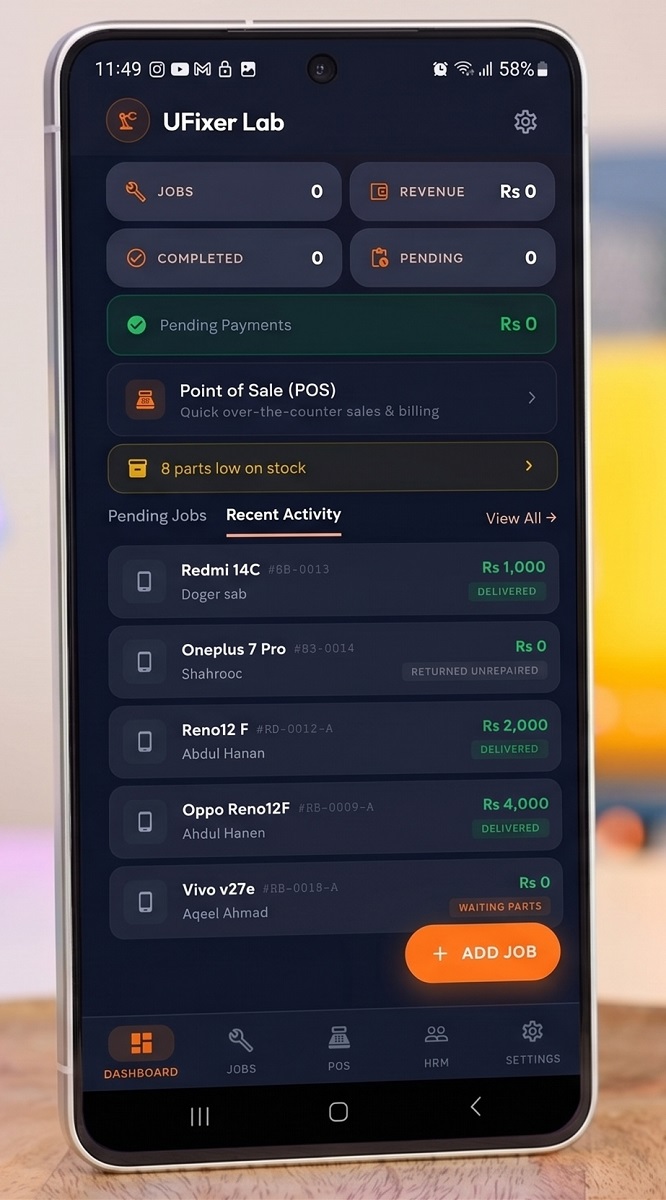
Organize your repair shop efficiently. Manage tickets, track status, and satisfy your customers.
Expert remote unbricking, flashing, and software troubleshooting for all major mobile brands.
View DetailsRent professional mobile repair tools directly from Mobifirms to boost your repair capabilities.
View DetailsContact us on WhatsApp, describe your mobile issue, and get a quick custom quote.
Pay safely using Bank transfer, Digital wallets (Raast/JazzCash), or Crypto.
Download UltraViewer / USB Redirector on your Windows PC and plug in your phone via USB.
Sit back and watch our certified technician remotely flash, unlock, or repair your phone.
"Super fast remote repair! My Samsung device was stuck on logo bootloop, and Bashir fixed it remotely in 15 minutes. Highly recommended!"
"RepairBooks is a life saver. The android app makes it so simple to track client tickets and repair statuses. Our daily POS tracking is fully organized now."
"Mobifirms tools rental system is highly reliable. I rent firmware flash tools weekly, and the server support is outstanding 24/7."
We connect remotely to your computer using secure client software like TeamViewer or AnyDesk. You connect the mobile phone to your PC via a USB cable, and our expert technician performs the flashing, unlocking, or configuration steps remotely from our lab.
Yes, absolutely. The remote session is fully transparent; you can see everything our technician does on your screen in real time. We only access the diagnostic and flashing tools needed for the repair. Your personal data is completely secure.
You need a stable internet connection, a Windows PC, and a high-quality USB data cable to connect your phone. Once you confirm the payment, we will guide you on installing the remote sharing software and phone drivers.
You can pay via bank transfer (UBL Bank account or IBAN), mobile wallets (Raast/JazzCash), Skrill, or Crypto (USDT/USDC/SOL). After payment, simply share a screenshot of the transaction receipt or TXID on WhatsApp to start your remote session immediately.
Bashir Ahmad
Follow UFixer